Localized pricing for apps: price levels for every country
How to set app prices by country using purchasing power parity: price levels for 195 countries, what a PPP price is worth, and how to apply it in App Store Connect.
 By Alexander, maker of Storewatch · · 9 min read
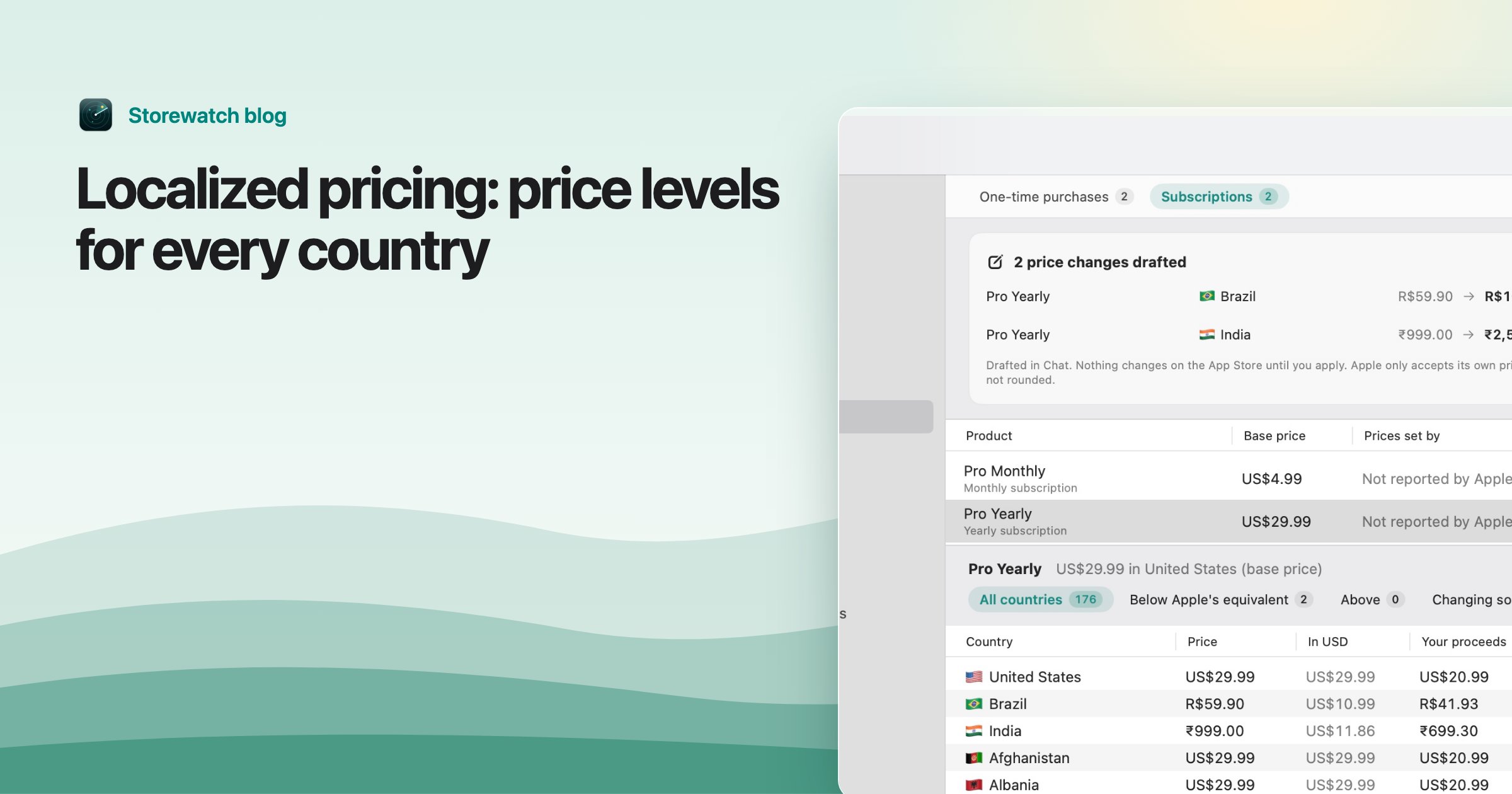
Localized pricing (also called local, regional or purchasing power parity pricing) means charging less where people earn and spend less, and the same or more where they do not. The usual method is simple: take a number that says how expensive each country is compared with your home market, and scale your price by it.
Below is a table of that number for 195 countries, taken from the World Bank data that Storewatch uses, with what a $9.99 US price becomes at each country's price level. After the table: how to read it, where it misleads, and how to put the prices into App Store Connect.
What a price level tells you
The table's middle column is the price level against the US, where the US is 1. It is the World Bank's purchasing power parity conversion factor (indicator PA.NUS.PPP) divided by the market exchange rate (PA.NUS.FCRF), for the newest year with both, mostly 2024, fetched November 17, 2026. India at 0.244 means the same basket of goods and services costs about a quarter of what it costs in the US.
The last column multiplies $9.99 by that level. Read it as a purchasing-power equivalent in US dollars, not an Apple price point. Apple sells in local currencies at fixed price points with local taxes included, so you still have to pick the nearest real price in each country (see the steps below).
What the number does not tell you
- It is a general price level for a whole economy: rent, food, services. It is not what people there spend on apps or subscriptions.
- It is an average for the country. The people who own an iPhone in a low-price-level country are usually richer than the average resident, so they can often afford more than the number suggests.
- It moves each year with exchange rates and inflation. Treat it as a starting point and check your own sales.
Three countries left out
Three values in the data are not usable as prices: Liberia (0.002), Zimbabwe (0.003) and Iran (2.245). A level of 0.002 would mean a $9.99 price is worth 2 cents, and 2.245 would mean it should cost more than double the US price. These look like currency distortions (an official exchange rate far from what people actually use), which is my reading, not something the World Bank data states. I left them out of the table. Storewatch's Suggest Prices keeps every suggestion inside a range (see below), so an odd value cannot produce an absurd price there either.
Tip: The World Bank data covers economies, not App Store storefronts, so some countries in the table may not be places where you can sell. Check the countries and regions available to you in App Store Connect.
Price level by country
Sorted by country name. Source: World Bank, as described above. The last column is $9.99 times the price level, rounded to cents.
| Country | Price level vs US | $9.99 US price at local price level |
|---|---|---|
| Afghanistan | 0.200 | $2.00 |
| Albania | 0.426 | $4.26 |
| Algeria | 0.326 | $3.26 |
| Andorra | 0.654 | $6.53 |
| Angola | 0.317 | $3.17 |
| Antigua and Barbuda | 0.691 | $6.90 |
| Argentina | 0.458 | $4.58 |
| Armenia | 0.374 | $3.74 |
| Aruba | 0.746 | $7.45 |
| Australia | 0.902 | $9.01 |
| Austria | 0.769 | $7.68 |
| Azerbaijan | 0.290 | $2.90 |
| Bahamas | 0.956 | $9.55 |
| Bahrain | 0.442 | $4.42 |
| Bangladesh | 0.258 | $2.58 |
| Barbados | 1.096 | $10.95 |
| Belarus | 0.259 | $2.59 |
| Belgium | 0.762 | $7.61 |
| Belize | 0.535 | $5.34 |
| Benin | 0.334 | $3.34 |
| Bermuda | 1.198 | $11.97 |
| Bhutan | 0.238 | $2.38 |
| Bolivia | 0.343 | $3.43 |
| Bosnia and Herzegovina | 0.374 | $3.74 |
| Botswana | 0.371 | $3.71 |
| Brazil | 0.461 | $4.61 |
| Brunei | 0.368 | $3.68 |
| Bulgaria | 0.214 | $2.14 |
| Burkina Faso | 0.339 | $3.39 |
| Burundi | 0.301 | $3.01 |
| Cambodia | 0.329 | $3.29 |
| Cameroon | 0.327 | $3.27 |
| Canada | 0.840 | $8.39 |
| Cape Verde | 0.462 | $4.62 |
| Cayman Islands | 1.131 | $11.30 |
| Central African Republic | 0.408 | $4.08 |
| Chad | 0.354 | $3.54 |
| Chile | 0.462 | $4.62 |
| China mainland | 0.490 | $4.90 |
| Colombia | 0.354 | $3.54 |
| Comoros | 0.459 | $4.59 |
| Costa Rica | 0.598 | $5.97 |
| Croatia | 0.485 | $4.85 |
| Curaçao | 0.697 | $6.96 |
| Cyprus | 0.614 | $6.13 |
| Czech Republic | 0.552 | $5.51 |
| Côte d'Ivoire | 0.355 | $3.55 |
| Democratic Republic of the Congo | 0.398 | $3.98 |
| Denmark | 0.878 | $8.77 |
| Djibouti | 0.454 | $4.54 |
| Dominica | 0.488 | $4.88 |
| Dominican Republic | 0.394 | $3.94 |
| Ecuador | 0.431 | $4.31 |
| Egypt | 0.138 | $1.38 |
| El Salvador | 0.415 | $4.15 |
| Equatorial Guinea | 0.410 | $4.10 |
| Eritrea | 0.328 | $3.28 |
| Estonia | 0.624 | $6.23 |
| Eswatini | 0.331 | $3.31 |
| Ethiopia | 0.328 | $3.28 |
| Faroe Islands | 0.904 | $9.03 |
| Fiji | 0.415 | $4.15 |
| Finland | 0.816 | $8.15 |
| France | 0.737 | $7.36 |
| Gabon | 0.382 | $3.82 |
| Gambia | 0.251 | $2.51 |
| Georgia | 0.326 | $3.26 |
| Germany | 0.759 | $7.58 |
| Ghana | 0.301 | $3.01 |
| Greece | 0.558 | $5.57 |
| Greenland | 0.741 | $7.40 |
| Grenada | 0.579 | $5.78 |
| Guatemala | 0.427 | $4.27 |
| Guinea | 0.316 | $3.16 |
| Guinea-Bissau | 0.323 | $3.23 |
| Guyana | 0.370 | $3.70 |
| Haiti | 0.652 | $6.51 |
| Honduras | 0.455 | $4.55 |
| Hong Kong | 0.720 | $7.19 |
| Hungary | 0.480 | $4.80 |
| Iceland | 1.028 | $10.27 |
| India | 0.244 | $2.44 |
| Indonesia | 0.299 | $2.99 |
| Iraq | 0.419 | $4.19 |
| Ireland | 0.802 | $8.01 |
| Israel | 0.947 | $9.46 |
| Italy | 0.649 | $6.48 |
| Jamaica | 0.601 | $6.00 |
| Japan | 0.624 | $6.23 |
| Jordan | 0.426 | $4.26 |
| Kazakhstan | 0.346 | $3.46 |
| Kenya | 0.321 | $3.21 |
| Kiribati | 0.684 | $6.83 |
| Kosovo | 0.393 | $3.93 |
| Kuwait | 0.619 | $6.18 |
| Kyrgyzstan | 0.306 | $3.06 |
| Laos | 0.217 | $2.17 |
| Latvia | 0.537 | $5.36 |
| Lebanon | 0.375 | $3.75 |
| Lesotho | 0.333 | $3.33 |
| Libya | 0.459 | $4.59 |
| Lithuania | 0.531 | $5.30 |
| Luxembourg | 0.883 | $8.82 |
| Macao | 0.566 | $5.65 |
| Madagascar | 0.291 | $2.91 |
| Malawi | 0.346 | $3.46 |
| Malaysia | 0.306 | $3.06 |
| Maldives | 0.510 | $5.09 |
| Mali | 0.329 | $3.29 |
| Malta | 0.628 | $6.27 |
| Marshall Islands | 0.921 | $9.20 |
| Mauritania | 0.306 | $3.06 |
| Mauritius | 0.378 | $3.78 |
| Mexico | 0.542 | $5.41 |
| Micronesia | 0.955 | $9.54 |
| Moldova | 0.406 | $4.06 |
| Mongolia | 0.352 | $3.52 |
| Montenegro | 0.389 | $3.89 |
| Morocco | 0.398 | $3.98 |
| Mozambique | 0.385 | $3.85 |
| Myanmar | 0.257 | $2.57 |
| Namibia | 0.385 | $3.85 |
| Nauru | 1.039 | $10.38 |
| Nepal | 0.253 | $2.53 |
| Netherlands | 0.792 | $7.91 |
| New Zealand | 0.886 | $8.85 |
| Nicaragua | 0.327 | $3.27 |
| Niger | 0.357 | $3.57 |
| Nigeria | 0.119 | $1.19 |
| North Macedonia | 0.344 | $3.44 |
| Norway | 0.851 | $8.50 |
| Oman | 0.485 | $4.85 |
| Pakistan | 0.240 | $2.40 |
| Palau | 0.863 | $8.62 |
| Panama | 0.463 | $4.63 |
| Papua New Guinea | 0.596 | $5.95 |
| Paraguay | 0.347 | $3.47 |
| Peru | 0.477 | $4.77 |
| Philippines | 0.337 | $3.37 |
| Poland | 0.490 | $4.90 |
| Portugal | 0.559 | $5.58 |
| Puerto Rico | 0.782 | $7.81 |
| Qatar | 0.597 | $5.96 |
| Republic of the Congo | 0.354 | $3.54 |
| Romania | 0.409 | $4.09 |
| Russia | 0.314 | $3.14 |
| Rwanda | 0.280 | $2.80 |
| Samoa | 0.617 | $6.16 |
| San Marino | 0.760 | $7.59 |
| Saudi Arabia | 0.494 | $4.94 |
| Senegal | 0.341 | $3.41 |
| Serbia | 0.417 | $4.17 |
| Seychelles | 0.551 | $5.50 |
| Sierra Leone | 0.225 | $2.25 |
| Singapore | 0.620 | $6.19 |
| Sint Maarten | 0.770 | $7.69 |
| Slovakia | 0.543 | $5.42 |
| Slovenia | 0.596 | $5.95 |
| Solomon Islands | 0.722 | $7.21 |
| South Africa | 0.405 | $4.05 |
| South Korea | 0.594 | $5.93 |
| South Sudan | 0.414 | $4.14 |
| Spain | 0.608 | $6.07 |
| Sri Lanka | 0.289 | $2.89 |
| St. Kitts and Nevis | 0.687 | $6.86 |
| St. Lucia | 0.515 | $5.14 |
| St. Vincent and the Grenadines | 0.540 | $5.39 |
| Sudan | 0.317 | $3.17 |
| Suriname | 0.319 | $3.19 |
| Sweden | 0.803 | $8.02 |
| Switzerland | 1.105 | $11.04 |
| Syria | 0.322 | $3.22 |
| São Tomé and Príncipe | 0.562 | $5.61 |
| Tajikistan | 0.252 | $2.52 |
| Tanzania | 0.282 | $2.82 |
| Thailand | 0.297 | $2.97 |
| Timor-Leste | 0.301 | $3.01 |
| Togo | 0.332 | $3.32 |
| Tonga | 0.761 | $7.60 |
| Trinidad and Tobago | 0.515 | $5.14 |
| Tunisia | 0.288 | $2.88 |
| Turks and Caicos Islands | 0.987 | $9.86 |
| Tuvalu | 0.924 | $9.23 |
| Türkiye | 0.352 | $3.52 |
| U.S. Virgin Islands | 0.890 | $8.89 |
| Uganda | 0.331 | $3.31 |
| Ukraine | 0.289 | $2.89 |
| United Arab Emirates | 0.634 | $6.33 |
| United Kingdom | 0.849 | $8.48 |
| United States | 1.000 | $9.99 |
| Uruguay | 0.664 | $6.63 |
| Uzbekistan | 0.267 | $2.67 |
| Vanuatu | 0.907 | $9.06 |
| Vietnam | 0.288 | $2.88 |
| Zambia | 0.281 | $2.81 |
A few reference points: about 116 of the 195 countries have a level under 0.5, and the median is about 0.43. Switzerland (1.105) and Bermuda (1.198) are among the few above the US.
How Apple prices countries by default
Apple does not use purchasing power. You choose a base country or region and a price, and Apple generates comparable prices for the other storefronts from it, taking exchange rates, certain taxes and local price endings into account. So a $9.99 price becomes a roughly $9.99 price everywhere, converted and taxed locally, even where $9.99 is a week of income. My post on App Store prices by country covers how those prices are generated and how they drift. Purchasing power pricing is the deliberate step on top of that.
How to apply it in App Store Connect
Apple's help page on setting a price describes the flow for apps. As of November 2026:
- In your app, open Monetization, then Pricing and Availability, and click Add Pricing (or edit the base country).
- Pick the base country or region and base price, then click Next.
- On the comparable prices screen, change the Price menu for any country to a price you choose. Leave the others alone to keep Apple's automatic prices.
- Review and Confirm.
Work it out first: multiply your base price by the country's level, and compare with Apple's generated price. For India, a $9.99 base becomes about $2.44, so in rupees you pick the Apple price point closest to that. Apple's list is fixed, so you choose from it.
Apple's help pages cover other products in the same way: in-app purchases have their own price schedule, and subscriptions are priced per subscription.
What a manual price costs you
Apple says that once you select your own price for a storefront, it won't adjust it in the future, and you are responsible for staying current with taxes and exchange rates there. So a PPP price is a commitment to look at it again. Put a reminder in your calendar for a few months out, and check the numbers when Apple announces tax and price updates.
When not to use it
- Tiny markets. If a country brings you a handful of sales a month, the work and the later upkeep are not worth it. Start with the countries that already send you the most downloads.
- Your best markets. Cutting prices where people already pay full price gives money away. Check your top countries first and leave them alone.
- Apps with a global audience. Developer tools, business software and anything sold to professionals are often bought at the same value everywhere.
- Existing subscribers. Lowering a subscription price is simple: Apple's pricing help says existing subscribers renew at the lower price automatically, and you cannot keep the higher price for them. Raising one is the problem. Apple requires subscriber consent in regions that require it for any increase, for an increase of more than about 50% and about $5 per period ($50 per year; thresholds vary by storefront), and when the subscriber already had an increase in the past 12 months. If you raise a price after a test, you can choose to keep existing subscribers on their current price.
If your goal is more sales in cheap countries, change a handful of them first, compare sales for a few weeks, and keep what works. Results vary by app, and nothing in this table predicts demand.
How Storewatch uses these levels
This table is the data behind Suggest Prices in Storewatch's Pricing screen. It drafts a price for every country by local purchasing power, between a lowest and highest share of Apple's own price, each on one of Apple's price steps. You review the draft and apply it as usual. Storewatch's analytics can then show whether sales moved after the change, with the price change marked on your charts. It is a Mac app that costs $29 once, and you can try it free for 3 days.
Frequently asked questions
What is localized pricing?
Setting different prices for different countries instead of one converted price everywhere. Often it means lower prices where purchasing power is lower, using purchasing power parity data like the table above.
What is PPP pricing?
Purchasing power parity pricing scales your price by how expensive a country is compared with a reference market. If goods cost about a quarter as much in India as in the US, a PPP price there is about a quarter of the US price.
Does the App Store do localized pricing for me?
Not by purchasing power. Apple generates prices for other countries from your base price using exchange rates, certain taxes and local price endings, and you can override any of them.
Can I enter any price I want in a country?
No. You pick from Apple's price points for that storefront, so choose the one closest to your target.
Will Apple change my prices after I set them by hand?
No. Apple does not adjust storefronts you set yourself, so you are responsible for tax and exchange-rate changes there.
Why are some countries missing from the table?
Liberia, Zimbabwe and Iran have World Bank values (0.002, 0.003 and 2.245) that are too extreme to use as prices, so I excluded them.