App Store prices by country: when to override Apple's prices
How Apple turns one base price into prices for 175 countries, why prices you set by hand and subscription prices drift over time, and a 15-minute audit to find and fix them.
 By Alexander, maker of Storewatch · · 6 min read
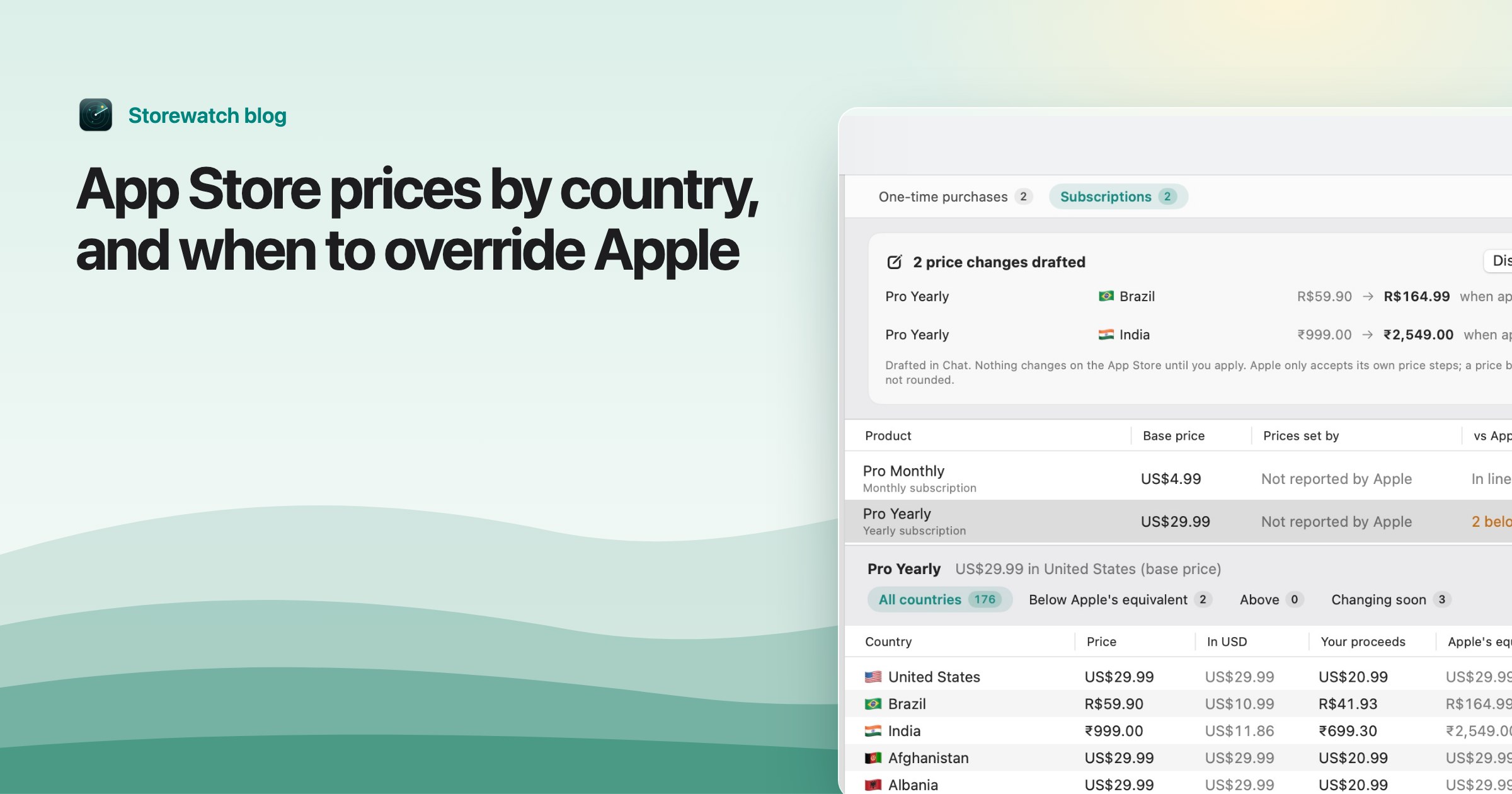
You set one price in App Store Connect, and your app is on sale in up to 175 countries. Most of the time Apple's automatic prices are fine. But two kinds of prices quietly drift away from what Apple would charge: prices you set yourself for a country, and subscription prices. When I checked one of my own subscriptions, 130 of its 175 countries were priced below Apple's equivalent, some by more than half. Nobody had decided that; the prices had just stood still while everything around them moved.
This guide explains how Apple's prices work, when overriding them makes sense, and a short audit to find the prices that drifted.
How Apple turns one price into 175
When you set a price, you pick a base country or region, usually your own. Apple's pricing help explains that it uses that price to generate prices for the other 174 storefronts, in 43 currencies, taking into account exchange rates, certain taxes and each country's usual price endings.
Those generated prices are kept up to date. Apple never changes your base price, but it periodically adjusts the others and tells you in advance. In What's new in App Store pricing (WWDC23), Apple explained that a storefront's prices are updated when its currency moves by at least 10% and the change lasts for a couple of quarters. Apple also announces tax-driven changes on its developer news page.
This applies to paid apps and to in-app purchases that aren't subscriptions. Subscriptions work differently.
What changes when you set a price yourself
You can set your own price for any country instead of Apple's generated one. Apple's in-app purchase help is clear about the trade-off: once you pick your own price for a storefront, Apple won't adjust it in the future. You become responsible for tax and exchange-rate changes there. Temporary price changes count as manual prices too.
That's fine on the day you set it. The problem is a year later: the currency has moved, Apple has adjusted every other country, and your hand-picked price is still where you left it.
Subscriptions don't follow Apple's updates
For auto-renewable subscriptions, Apple's pricing tech talk and its tax and price update notices say the same thing: subscription prices aren't automatically adjusted for exchange-rate and tax changes. Apple's subscriptions page leaves it to you to pass those changes on by adjusting the price yourself.
So every subscription price slowly drifts from what Apple would charge today for the same base price, whether you set it yourself or accepted Apple's suggestion on day one. The longer the subscription has existed, the bigger the gap tends to be.
When overriding Apple's price makes sense
A price far below Apple's equivalent isn't automatically a mistake. Good reasons to set your own price:
- Regional pricing. Many developers charge less in countries where incomes are lower, to sell more copies there. Apple's converted price can be expensive relative to local spending power.
- Round local prices. A price that ends in a familiar number for that country can look more natural than the converted one.
- A big market you know well. If one country brings most of your revenue, it can be worth testing prices there separately.
Bad reasons are the ones nobody remembers: a launch discount that never ended, a price set years ago when the exchange rate was different, or a country copied from another by accident. That's what the audit is for.
A 15-minute price audit
1. List every product
Your app (if it's paid), every in-app purchase and every subscription. Each has its own prices in every country.
2. Get today's price in every country
In App Store Connect, open the app's Pricing and Availability page, or the price schedule of each in-app purchase and subscription, and view the prices for all countries. With the App Store Connect API, an app's or in-app purchase's price schedule lists manual and automatic prices separately, which tells you which countries you set yourself.
3. Get Apple's equivalent for each country
App Store Connect doesn't show the price Apple would generate next to a price you set yourself. The API does: each price point has an equalizations list with the matching price in every other country. Pick your base country's price point and compare.
4. Flag the big gaps
Work out how far each price is from Apple's equivalent. I treat anything more than 30% below or above as worth a look, and anything more than 50% off as almost certainly worth fixing unless it's deliberate.
5. Decide country by country
For each flagged country, ask: did I mean this? Keep deliberate regional prices, and write down why so future you knows. Everything else goes back to Apple's equivalent or to a new price you choose on purpose.
6. Fix, then set a reminder
For apps and one-time purchases, set each drifted country to the price Apple would generate, or to a new price you choose on purpose. Apple's pricing tech talk notes that a global price change, or editing your base price again, puts every country back on Apple's generated prices, so only do that if you want to drop all your country-specific prices. For subscriptions, set the new price per country and decide whether existing subscribers keep their current price. Then repeat the audit every few months, or whenever Apple announces tax and price updates.
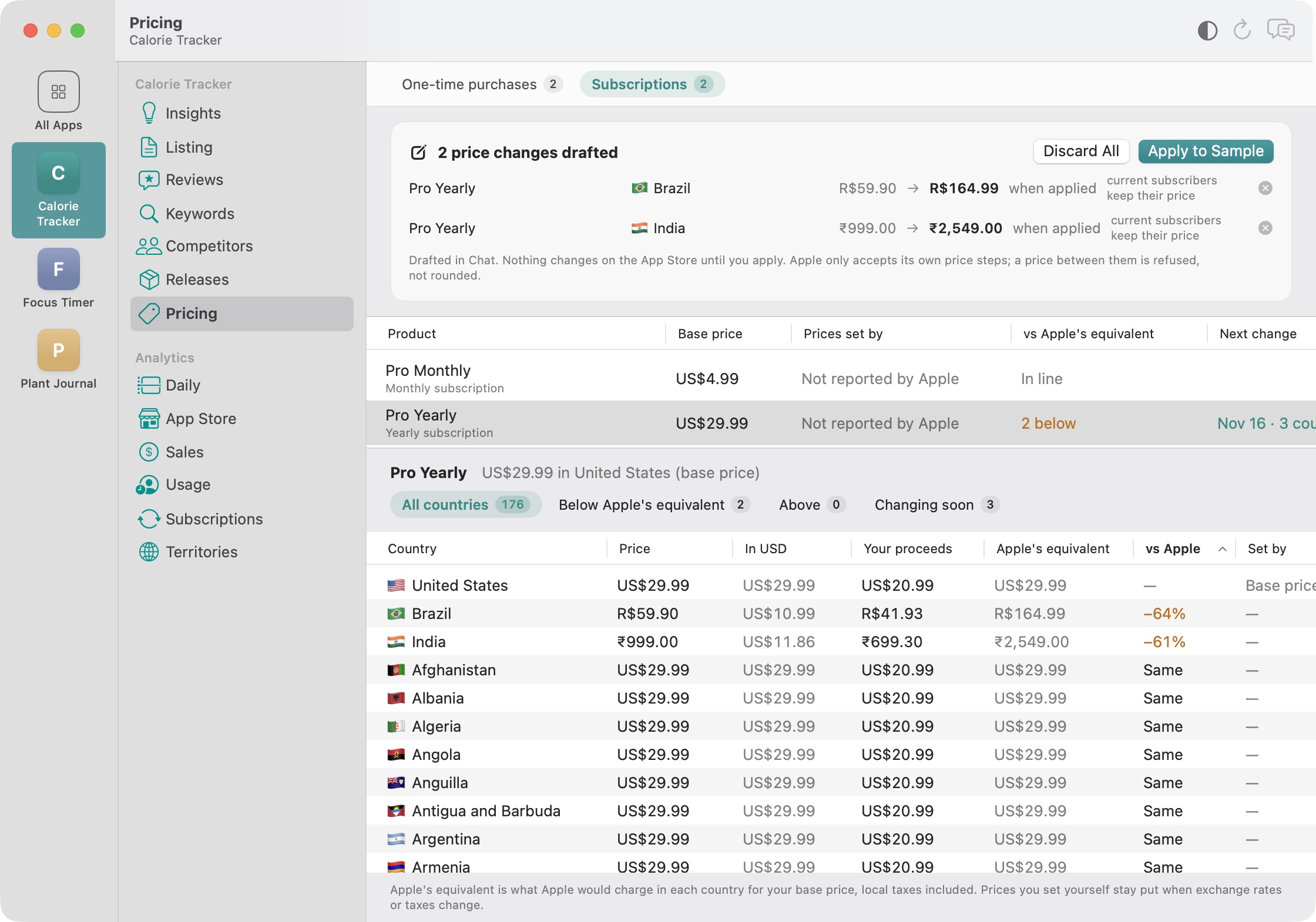
Steps 2 to 4 are tedious by hand for 175 countries and several products, so I built them into Storewatch. Its Pricing screen lists your app, in-app purchases and subscriptions in every country next to Apple's equivalent, Insights flags prices that drifted, and you can ask the AI to “match Apple's price for Pro Yearly in India and Brazil”. It drafts the change, and nothing changes in App Store Connect until you click Apply.
Common mistakes
- Assuming subscription prices follow exchange rates. They don't.
- Forgetting that a temporary price change or launch discount is a manual price.
- Raising subscription prices in countries with consent rules without checking the thresholds first.
- Lowering prices everywhere at once, then not knowing which countries the change helped.
Frequently asked questions
Does Apple change my prices automatically?
For paid apps and in-app purchases that aren't subscriptions, Apple adjusts the prices it generated from your base price when exchange rates or taxes change, and tells you in advance. It never changes your base country's price or any price you set yourself.
Do subscription prices change with exchange rates?
No. Apple doesn't automatically adjust auto-renewable subscription prices for exchange-rate or tax changes. You decide when to change them.
Should I set lower prices in poorer countries?
It can help if a meaningful share of your downloads comes from those countries, but results vary by app. Change a few countries, compare sales for a few weeks, and keep what works.
How do I see which prices I set myself?
The App Store Connect API lists manual and automatic prices separately in each price schedule. Storewatch shows this for your app and in-app purchases.
What is Apple's equivalent price?
It's the price Apple would set in a country for the same base price, accounting for exchange rates, taxes and local price endings. The API calls these equalizations.
How many countries can I sell in?
Up to 175 countries and regions, in 43 currencies. Some countries have extra requirements before your app can go on sale there.