Why your App Store payment doesn't match your proceeds
Sales and Trends says one number, your bank says another. Here's how Apple's fiscal months, exchange rates, the payment threshold, taxes and bank fees change what you're paid, and how to reconcile it.
 By Alexander, maker of Storewatch · · 6 min read
You open Sales and Trends and it says your proceeds last month were US$343. Then the payment from Apple lands, and it's US$258. Or nothing arrives at all. A question like this comes up on Apple's developer forums every month, and it rarely gets a full answer.
The short version: Sales and Trends and your bank are measuring different things, over different dates, at different exchange rates. None of it means money is missing. This guide walks through the reasons one by one, and then how to match a payment to the sales behind it.
First: the three numbers people mix up
| Where you see it | What it is | |
|---|---|---|
| Sales | Sales and Trends | What customers paid, including tax. |
| Proceeds | Sales and Trends | An estimate of what you'll earn: the customer price minus taxes and Apple's commission, converted to one currency at an average exchange rate. |
| Payment | Payments and Financial Reports, and your bank | What Apple actually sends for one fiscal month, in your bank's currency, after any withholding tax. |
The gap between sales and proceeds is commission (15% for the App Store Small Business Program and for subscriptions after their first year, otherwise 30%) plus taxes such as VAT, which are part of the price the customer pays. The rest of this guide is about the gap between proceeds and the payment.
7 reasons your payment is different
1. Apple pays by fiscal month, not calendar month
Apple's year doesn't follow the calendar. Each quarter has a five-week month followed by two four-week months, so a fiscal month can start in the last days of the previous calendar month. In 2026, for example, fiscal October ran from September 27 to October 31.
If you add up a calendar month in Sales and Trends, you're comparing it with a payment that covers a different set of days. Sales from the last days of a calendar month often belong to the next fiscal month, and so to the next payment.
Apple says payments are made within 45 days of the end of the fiscal month (its overview of receiving payments has the details). In practice they've tended to arrive about a month after it ends. Apple publishes the fiscal calendar's dates inside App Store Connect.
2. Different exchange rates
Sales and Trends converts everything to one currency using a rolling average of the previous month's exchange rates. Your payment is converted at the rate Apple's bank uses when it pays you, usually the spot rate on or shortly before the payment date. If the currencies your customers paid in moved during those weeks, the two numbers move apart. The more countries you sell in, the bigger this effect can be.
3. The minimum payment threshold
Apple only sends money once your balance passes a minimum for your bank's country and currency. For a US bank account in US dollars it's tiny (US$0.02). For banks in countries or currencies not on Apple's list, it's US$40, and some listed countries have higher minimums. Check the minimum payment threshold table for yours.
If you don't reach it, nothing is lost: Payments and Financial Reports shows the balance as carried forward, and it's added to a later payment. This is the usual reason a small app sees a month with no payment, followed by a bigger one.
4. Withholding and local taxes
Proceeds already exclude the taxes Apple collects from customers. On top of that, some payments are subject to withholding tax, which Apple applies when the payment is made, and some countries deduct tax at the bank. Apple's help gives Nepal as an example, where the local bank deducts an advance income tax from payments. These deductions never appear in Sales and Trends, which is why the estimate before a payment and the final amount can differ.
5. Bank fees
Apple sends one payment per currency per fiscal month. Your bank, and any bank in between, can charge fees for receiving it, especially for international transfers. Apple's help notes that the amount you receive can vary because of these fees. Your bank statement shows them; App Store Connect doesn't.
6. Refunds and transactions that arrive late
Financial reports only include sales where Apple actually collected the customer's payment, and Apple notes that some transactions are reported in a later fiscal month than the one they happened in. Refunds also come off in the period Apple processes them, which can be after the original sale's month. In the daily Sales reports they show up as negative units. So a quiet month can carry a refund from an earlier one, and a payment can include sales you saw in the previous month's numbers.
7. A payment that was returned or held
If a payment can't be delivered, for example because banking details changed or a bank rejected it, Apple shows an alert in Payments and Financial Reports. Once you fix it, the money comes with a later regular payment; Apple says this can take up to two payment cycles. Until then, it looks like a month was skipped.
How to match a payment to your sales
- Find the payment. In App Store Connect, open Payments and Financial Reports and pick the payment. It lists the amount per currency, the exchange rate that was applied, and any withholding.
- Note its fiscal month. Each payment covers one fiscal month (plus anything carried forward). Look up that month's start and end dates.
- Download the financial report for that fiscal month. It shows units and proceeds per country in local currency, for paid transactions only, net of refunds.
- Compare in local currency first. Check the report's totals against the payment's amounts per currency before any conversion. If those match, the remaining gap is exchange rate, tax or bank fees.
- Check for carried-forward balances and returned payments. A payment bigger than the month's proceeds usually includes an earlier balance; a smaller one may be missing a held amount that comes later.
- Only then look at Sales and Trends. If you want to compare, set its date range to the fiscal month's dates, not the calendar month, and remember its proceeds use average exchange rates.
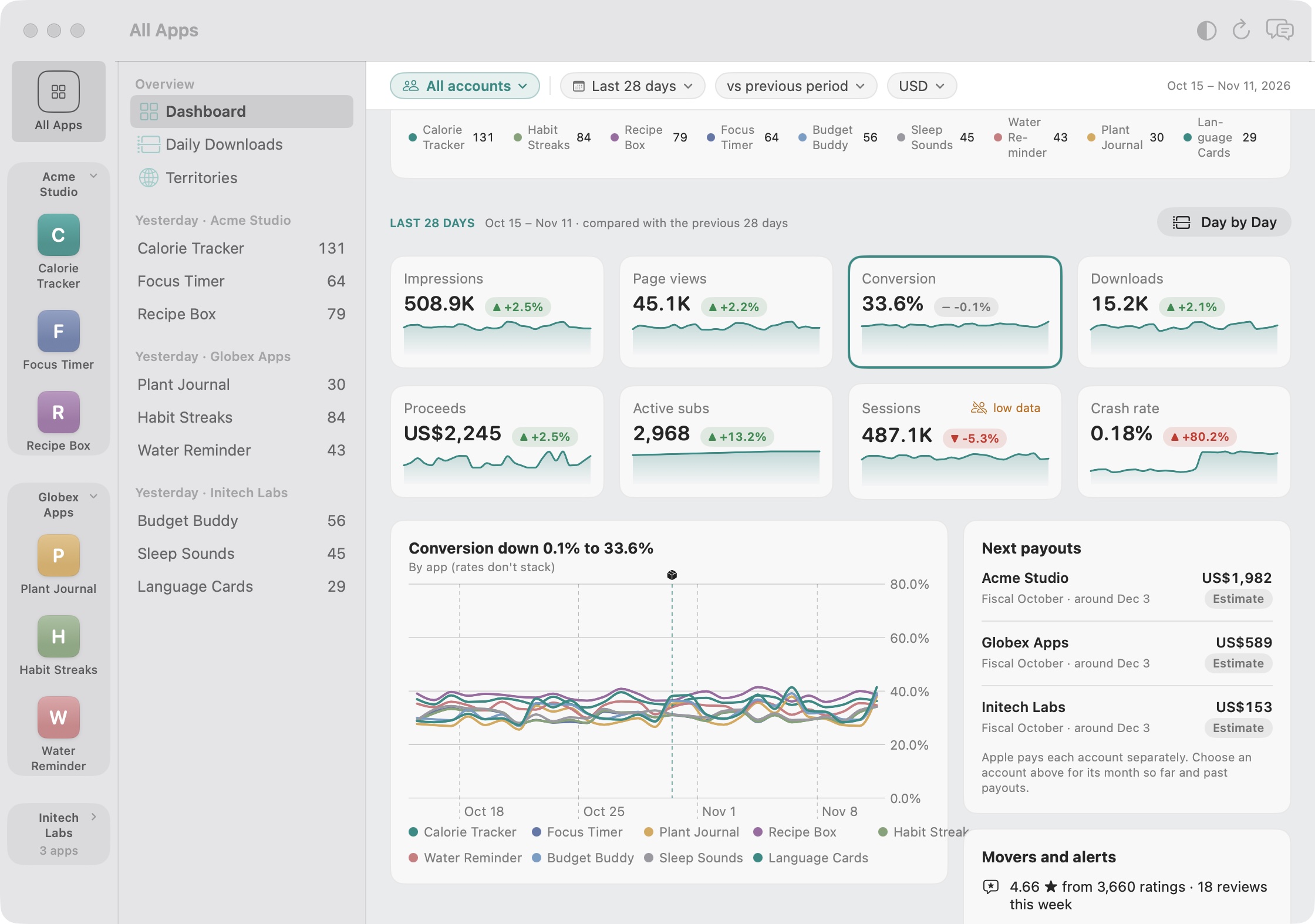
I kept getting this wrong myself, so I built it into Storewatch. It groups proceeds by Apple's fiscal month instead of the calendar, shows when each month should be paid, and switches from an estimate to Apple's final figure once the finance report arrives. With several developer accounts, it shows each account's payout on its own. It still can't see your bank, so withholding and bank fees are worth checking on your statement.
Frequently asked questions
When does Apple pay app developers?
Apple pays within 45 days of the end of each fiscal month, once you have a Paid Apps Agreement in effect, banking details on file and a balance above the minimum payment threshold. Payments have tended to arrive about a month after the fiscal month ends.
Why didn't I get paid this month?
Most often because your balance was below the minimum payment threshold for your bank's country and currency, so it carried forward. Other reasons are missing agreements, tax forms or banking details, or a returned payment. Payments and Financial Reports shows which.
Why are proceeds in Sales and Trends different from my financial report?
Sales and Trends gives you any date range and converts with an average exchange rate. Financial reports cover one fiscal month, only include transactions where Apple collected payment, and are final. Some transactions also land in a later fiscal month.
Which exchange rate does Apple use for payments?
The rate Apple's bank applies when it pays you, typically the spot rate on the payment date or up to a few business days before. Payments and Financial Reports shows the rate used for each currency.
Does Apple deduct taxes from my payment?
Proceeds already exclude sales taxes like VAT. Withholding tax can apply when the payment is made, depending on your tax situation, and some countries deduct tax at the bank. Check your payment details and tax documents in App Store Connect.
Does Apple pay each app separately?
No. Apple combines the proceeds of all apps in a developer account into one payment per currency per fiscal month. Separate developer accounts are paid separately.