How to use Claude with your App Store Connect data
Connect Claude, Claude Code, Codex or Cursor to your App Store Connect data with MCP. Three ways to set it up, what each one costs you in privacy and effort, and 10 prompts that work.
 By Alexander, maker of Storewatch · · 7 min read
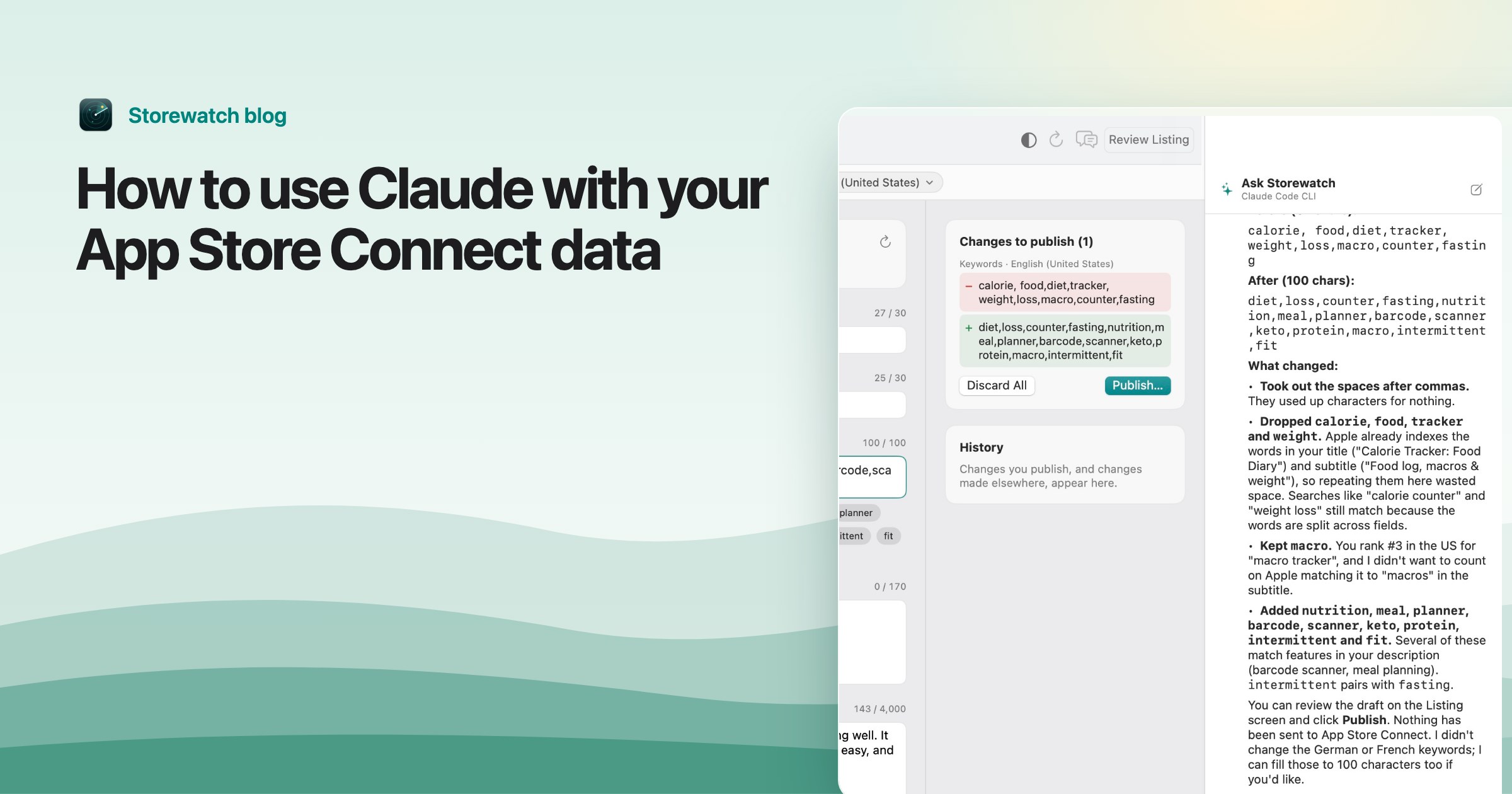
I wanted to ask an AI simple questions about my apps. Why did conversion drop last week? Which countries are growing? What are people complaining about in reviews? The answers are all in App Store Connect, but spread across Sales and Trends, App Analytics, Ratings and Reviews and the listing of every app, and pasting screenshots into a chat gets old fast.
The fix is MCP. This guide explains what it is, compares the three ways to connect your App Store data to Claude and other AI apps, and ends with ten prompts that work well once you're set up.
What MCP is, in one paragraph
The Model Context Protocol is an open standard for giving AI apps tools. An MCP server is a small program that offers tools like “get downloads for this app and date range” or “get the latest reviews”. You add the server to an AI app once, and from then on the AI calls those tools whenever a question needs them, instead of guessing or asking you to paste data. Claude (the desktop app and Claude Code), Codex and Cursor can all use MCP servers that run on your Mac.
Three ways to connect your App Store data
Option 1: An open-source App Store Connect MCP server
Several developers have published MCP servers that call the App Store Connect API directly, for example JoshuaRileyDev's app-store-connect-mcp-server and TrialAndErrorAI's appstore-connect-mcp. Setup usually looks like this:
- Create an API key in App Store Connect under Users and Access → Integrations, and download the
.p8file. You can only download it once. - Note the key ID, the issuer ID and, for sales and finance reports, your vendor number (in Payments and Financial Reports).
- Add the server to your AI app's MCP settings, with those values as environment variables and the path to the
.p8file.
Good: free, open source, and many of them can also change things in App Store Connect, like builds, TestFlight groups and metadata.
Watch out for:
- Your key sits in a config file. An App Store Connect key can do whatever its role allows across your whole account. Give it the lowest role that works, and read the server's code before you hand it over.
- Live API calls answer “now” questions best. Sales reports come per day and per month, and App Analytics data (impressions, page views, conversion, sources) comes from the Analytics Reports API, which an Admin has to request and which then delivers daily report files. Questions about trends over weeks need a server that downloads and keeps that history.
- Write tools act immediately. If a server can edit your listing, an AI mistake goes straight to App Store Connect. Prefer servers that let you turn writing off.
Option 2: A hosted service
Some ASO and integration platforms offer their own MCP servers: you connect your App Store Connect account to their website once, then point your AI app at their server. AppFollow and Truto describe setups like this.
Good: no files to manage, and you often get extras like keyword research and competitor data.
Watch out for: your App Store data and your key live on their servers, and you usually pay a monthly subscription.
Option 3: A Mac app that keeps your data and offers it over MCP
This is the route I built Storewatch around, so take this section with that in mind. Storewatch downloads your sales, analytics, reviews, listings, keyword ranks and prices from Apple into a database on your Mac, every day, for every app. Its MCP server reads from that database, so the AI can answer questions about months of history in a second, and your key stays in the macOS Keychain instead of a config file.
Turn it on in Settings → AI, under “Use Storewatch from other AI apps”, then:
- Claude app: click Add to Claude and reopen Claude.
- Claude Code or Codex: click Copy Prompt, paste it into Claude Code or Codex, and it connects itself.
- Cursor: click Add to Cursor and confirm.
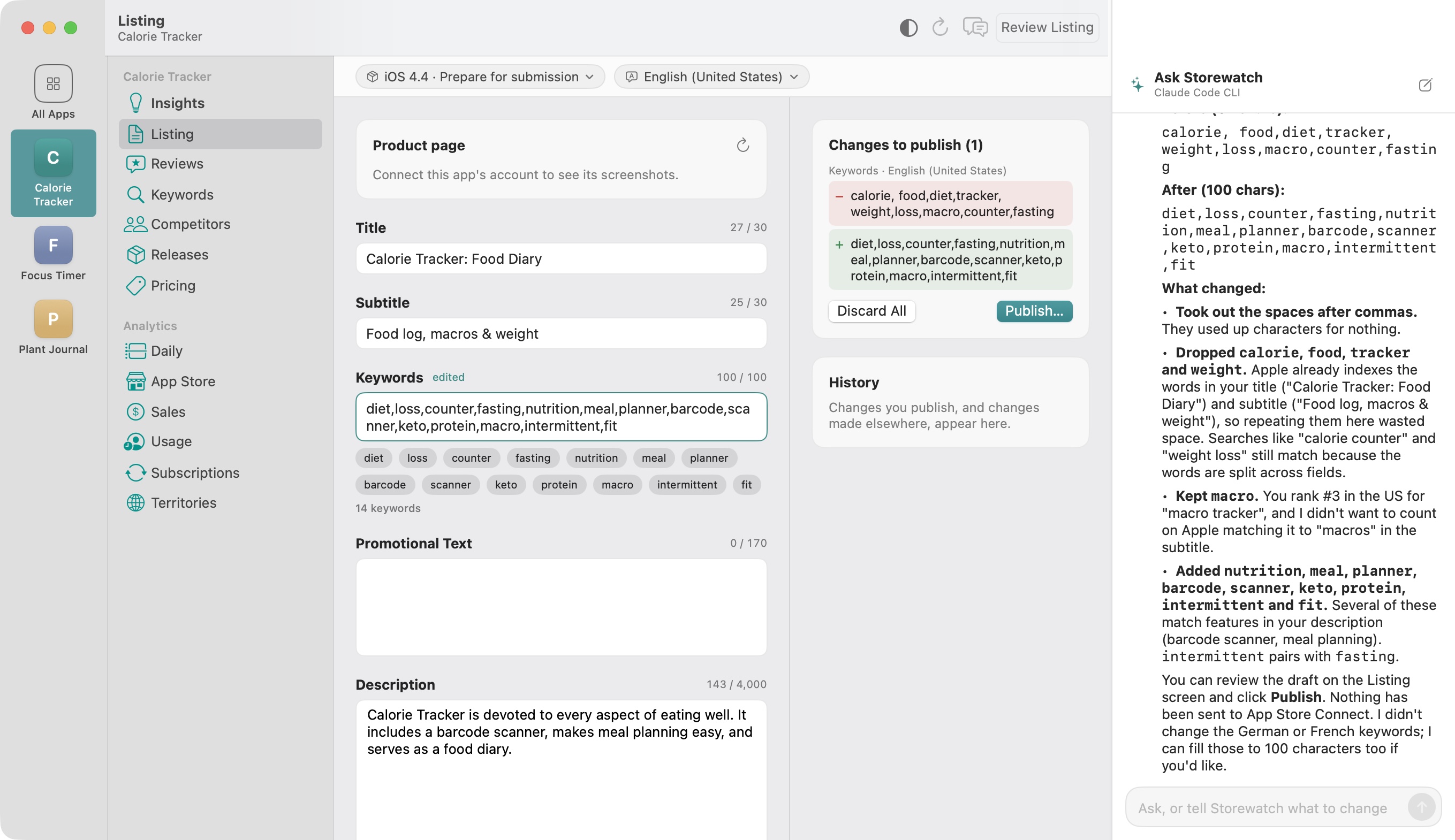
You choose the access: Read only, or Full access, where the AI can also draft listing text, keyword changes and price changes. Drafts wait in Storewatch until you publish them yourself, so nothing reaches the App Store by accident. It's a one-time purchase rather than a subscription, with a free trial.
| Open-source server | Hosted service | Storewatch | |
|---|---|---|---|
| Setup | Key file, IDs and config by hand | Sign up, connect account | One click or one pasted prompt |
| Where your data and key live | Your Mac (key in a config file) | Their servers | Your Mac (key in the Keychain) |
| History for trend questions | Depends on the server | Usually | Yes, downloaded daily |
| Changes | Often applied immediately | Varies | Drafts you publish |
| Cost | Free | Monthly | One-time |
Adding any MCP server to the Claude app by hand
If your server doesn't add itself, the Claude app reads its servers from a JSON file. In Claude, open Settings → Developer → Edit Config, or open ~/Library/Application Support/Claude/claude_desktop_config.json, and add an entry under mcpServers:
{
  "mcpServers": {
    "app-store": {
      "command": "/path/to/the/server",
      "args": [],
      "env": { "EXAMPLE_SETTING": "value" }
    }
  }
}
Quit and reopen Claude. The server's tools are available in your next chat. For Claude Code the equivalent is claude mcp add, and for Codex it's codex mcp add.
10 prompts that work
Once your AI app can read your App Store data, these are the questions I ask most. Name the app if you have several.
- “Why did downloads drop last week?” A good answer checks impressions, conversion, countries and sources before blaming anything.
- “Which of my apps grew fastest this month, and where?”
- “Compare the two weeks before and after version 4.3.” Useful after every release.
- “Does 4.3 crash more than 4.2?”
- “What are people complaining about in reviews from the last 30 days?” Ask it to quote reviews so you can check.
- “Which countries have a high conversion rate but few impressions?” Candidates for localizing your listing.
- “Which of my tracked keywords dropped the most, and in which countries?”
- “What's wrong with my German listing?” Short fields, untranslated text, repeated keywords.
- “Which of my subscription prices are far from Apple's equivalent price?” Prices you set by hand stop following Apple's exchange-rate updates.
- “Write a weekly summary of all my apps in five bullet points.”
With write access you can go one step further: “use all 100 characters of the English keywords” or “match Apple's price for Pro Yearly in India and Brazil”. Review every draft before it goes live; the AI is fast, not infallible. For the keyword field specifically, I wrote up the rules in How to use all 100 characters of your App Store keyword field.
Read-only or write access?
Start read-only. Most of the value is in questions, and a read-only connection can't break anything. Give an AI write access only when:
- changes land as drafts you review, not straight in App Store Connect;
- your AI app asks before it runs a tool that changes something (the Claude app asks for each tool unless you choose “Always allow”);
- you'd notice a bad change, for example because you review every release before submitting it.
Frequently asked questions
Does Apple have an official App Store Connect MCP server?
Not that I know of. Today's options are open-source servers built on the App Store Connect API, hosted services, and apps like Storewatch that offer their own MCP server.
Can I use ChatGPT with my App Store Connect data?
Codex, OpenAI's coding agent, can use MCP servers on your Mac and signs in with your ChatGPT account, so that's the easiest route. Check OpenAI's current documentation for what the ChatGPT app itself supports.
Is it safe to give an AI my App Store Connect key?
The AI never needs the key itself; the MCP server holds it. Use a key with the lowest role that works, keep it out of shared folders, and prefer servers that can be limited to reading.
Does Claude see all my App Store data?
Only what its tool calls return while answering your questions. Those results are sent to Anthropic like the rest of the conversation.
What does it cost?
You need the AI app you already use (Claude, Codex with your ChatGPT account, or Cursor) plus the server: free if open source, monthly for most hosted services, or a one-time purchase for Storewatch.
Can the AI publish changes to the App Store?
Some open-source servers let it change App Store Connect directly. Storewatch only lets it create drafts; publishing listing changes and applying prices is always your click.